
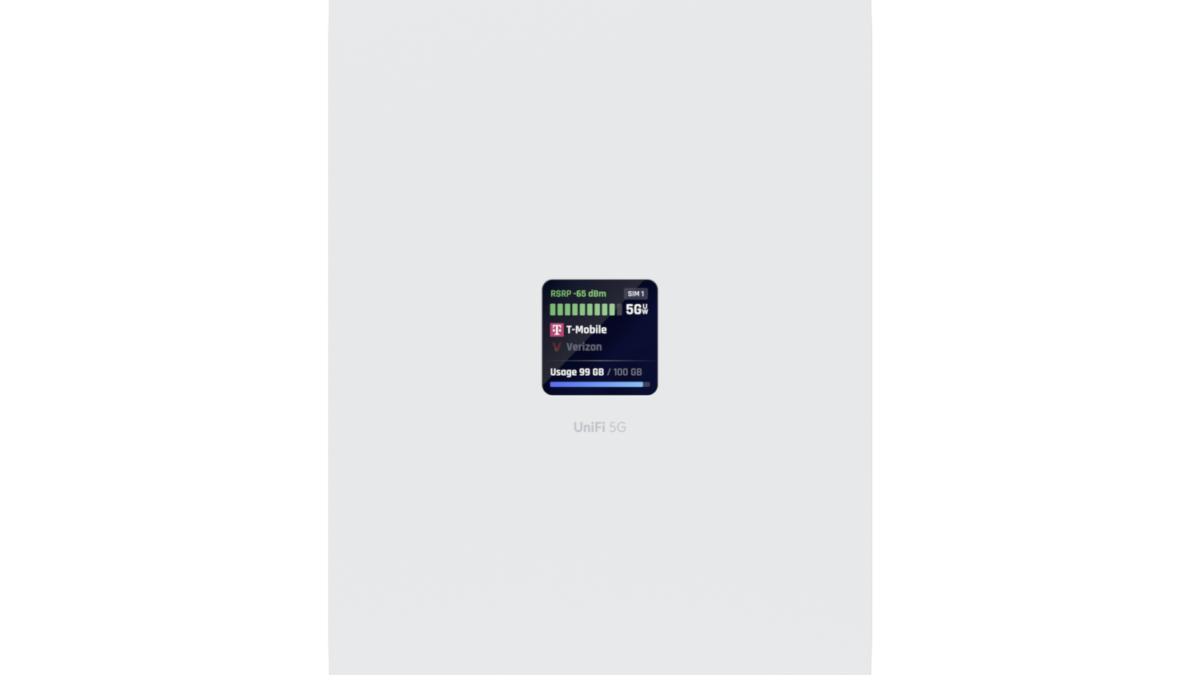
You’ve picked the UniFi cellular hardware — the LTE Backup Pro, UniFi 5G Max, or Dream Router 5G Max is going into client sites. Now you need SIM cards, and choosing the right UniFi cellular data plan for an MSP portfolio is messier than it looks. Which carrier? Which plan tier? What happens when one site has a three-day ISP outage and burns through its entire allocation while nineteen other SIMs sit untouched? This guide covers every UniFi device that accepts a third-party SIM, how to match the right data plan to each use case, and why per-SIM carrier billing fails MSPs managing more than a handful of sites.
Contents
- Which UniFi Devices Accept Third-Party SIM Cards
- Choosing the Right UniFi Cellular Data Plan: Backup vs. Primary WAN
- Why Per-SIM Carrier Plans Break Down at Scale
- How Pooled Data Plans Solve the Multi-Site Problem
- UniFi Cellular Data Plan Recommendations by Device
- The Static IP Requirement MSPs Can’t Skip
- Frequently Asked Questions
Which UniFi Devices Accept Third-Party SIM Cards
Not every UniFi cellular device gives you SIM flexibility — and getting this wrong costs time. Here’s the full current lineup and exactly what each device accepts.
| Device | Price | SIM Slots | Carrier Restriction | Primary WAN? | Third-Party SIM? |
|---|---|---|---|---|---|
| Dream Router 5G Max | $579 | 2x Nano | None — all carriers | Yes | Yes |
| UniFi 5G Max | $399 | 2x Nano | None — all carriers | Yes | Yes |
| UniFi 5G Max Outdoor | $459 | 2x Nano | None — all carriers | Yes | Yes |
| LTE Backup Pro | $279 | 1x Nano (BYOD) | AT&T only | Failover only | Yes (AT&T) |
| Mobile Router Ultra | $129 | 1x Nano | None — all carriers | Yes | Yes |
| Mobile Router Industrial | $199 | 1x Nano | None — all carriers | Yes | Yes |
| LTE Backup (U-LTE) | $199 | Bundled AT&T SIM | Ubiquiti SIM only | Failover only | No |
Two devices need specific callouts before going further.
The original LTE Backup (U-LTE) ships with Ubiquiti’s own bundled AT&T SIM on Ubiquiti’s data plan — third-party SIMs cannot be used. It is currently out of stock across most channels. If you have existing deployments on this device you’re locked into Ubiquiti’s plan for those units.
The LTE Backup Pro accepts any AT&T nano-SIM and works with third-party AT&T-based plans. What it does not support is Verizon or T-Mobile. Deploy it at a site with weak AT&T coverage and you’ll have a failover connection that can’t actually fail over. Confirm AT&T signal quality before using this device.
The 5G Max family — UniFi 5G Max, UniFi 5G Max Outdoor, and Dream Router 5G Max — share the same modem chipset, are all certified on Verizon, AT&T, and T-Mobile, accept any nano-SIM, and support cellular as primary WAN or failover. These are the devices most MSPs are standardizing on across client portfolios.
Choosing the Right UniFi Cellular Data Plan: Backup vs. Primary WAN
The most common UniFi cellular data plan mistake is choosing the same plan tier for every device regardless of how it’s used. A backup SIM and a primary WAN SIM have almost nothing in common from a data consumption standpoint. Getting this wrong means either overpaying for idle backup SIMs or under-provisioning a primary WAN connection that’s running 24/7.
Failover Backup (LTE Backup Pro, UniFi 5G Max as WAN2)
A backup SIM sits idle the majority of the time. When the primary ISP is healthy — which for most business-grade connections is 99%+ of the month — the cellular SIM isn’t passing any traffic. It activates during outages: a fiber cut, a hardware failure, a carrier maintenance window. Across a typical client portfolio, most backup SIMs will see a few hours of active use per month at most. A light-use plan with a modest allocation is the right fit, and pooling that allocation across multiple sites handles the outlier months when one location has an extended outage.
Primary WAN (Dream Router 5G Max, Mobile Router Ultra, Mobile Router Industrial)
A primary WAN SIM is active every minute of every day — carrying email, video calls, cloud applications, POS transactions, and everything else the business runs on. A small office of 10–20 users on a 5G primary connection can easily consume 50–200GB per month depending on usage patterns. A light-use failover plan is the wrong tier here. You need a plan designed for sustained, high-volume traffic, plus a public static IP for stable remote management access.
Hybrid and IoT Sites
Construction sites, retail kiosks, and remote monitoring deployments often sit between these two categories — cellular is the primary connection, but the application footprint is limited. A kiosk running POS and inventory sync has very different data needs than a branch office doing video conferencing. Right-size the plan to the actual expected consumption rather than the hardware category. ISPTek’s 12+ plan tiers exist specifically because these use cases don’t fit into a two-option carrier menu.
Why Per-SIM Carrier Plans Break Down at Scale
An MSP managing 5 client sites can make carrier-direct SIM plans work with some friction. At 20 or 30 sites the same problems appear repeatedly and compound as the portfolio grows.
Fragmented billing across carriers
Client locations have different carrier coverage. A rural site might have strong Verizon LTE and weak AT&T. An urban client might have excellent T-Mobile 5G but marginal Verizon signal. Deploying the right carrier at each site means managing two or three separate carrier accounts — different portals, different invoices, different support queues. When a SIM stops working during a 2 AM client outage, the MSP is navigating carrier support instead of resolving the connectivity problem.
Per-SIM data caps with no sharing
Consider 20 client sites each on a 3GB backup plan. In a normal month, most sites don’t trigger failover — their 3GB sits unused. Then one client has a fiber cut that takes four days to repair. That site burns through its 3GB allocation, gets throttled or charged overage, while 19 other SIMs have consumed almost nothing. The data that could have covered the extended outage existed in the account — it just couldn’t be accessed because it was locked inside individual SIM buckets.
Static IPs require special handling
Standard consumer and business carrier plans assign dynamic IPs that change each time the cellular connection re-establishes. Getting a static IP carrier-direct typically means a separate plan tier, a business account representative who knows how to provision it, and sometimes a per-IP monthly fee. MSPs who skip this discover the problem the first time they need out-of-band management access during an outage and can’t locate the device’s current IP.
Activation and cancellation friction
Carrier business plans are structured for stable single-location accounts, not an MSP adding and dropping SIMs as the client portfolio turns over. Activation fees of $20–35 per SIM and contract minimums of 12–24 months create real costs when clients churn. Over a year of normal portfolio turnover those fees add up quickly.
How Pooled Data Plans Solve the Multi-Site Problem
Pooled data plans consolidate all SIM allocations into one shared reservoir. Instead of 20 individual 3GB buckets, the account has one 60GB pool that any device can draw from as needed.
This works in the MSP’s favor because cellular backup usage across a portfolio is naturally uneven. In any given month a few sites will have extended outages and need significant data. Most sites barely touch their allocation. Under per-SIM billing the quiet sites’ unused data is wasted and the active site pays overage. Under pooled billing the quiet sites’ unused allocation covers the active site automatically — no overage charges, no manual rebalancing, no carrier support tickets.
The efficiency improves as the portfolio scales. More devices in the pool means usage variance averages out more smoothly across sites. An MSP running 50 sites on a pooled account has a significantly more predictable monthly data cost than 50 individual per-SIM plans — even when total consumption is identical.
ISPTek’s pooled data plans run every SIM on a single account regardless of which underlying carrier network each SIM uses. Carrier selection stays flexible at the device level — Verizon where coverage is stronger, AT&T or T-Mobile where they’re stronger — while billing and management stay consolidated under one portal and one monthly invoice.
UniFi Cellular Data Plan Recommendations by Device
Matching plan tier to actual use case, with the backup vs. primary WAN distinction applied to each device in the UniFi cellular lineup.
| Device | Typical Use Case | Plan Tier | Key Requirement |
|---|---|---|---|
| Dream Router 5G Max | Primary WAN or primary + failover | Mid to high — sustained daily usage | Static IP; higher allocation for always-on traffic |
| UniFi 5G Max | Failover WAN2 on existing UniFi sites | Light — pooled across portfolio | Static IP for out-of-band management |
| UniFi 5G Max Outdoor | Failover or primary at signal-challenged sites | Light to mid — depends on primary vs. backup role | Static IP; higher tier if used as primary WAN |
| LTE Backup Pro | Failover only — AT&T network | Light — AT&T-based plan | AT&T SIM required; confirm AT&T coverage first |
| Mobile Router Ultra | Primary WAN — IoT, kiosk, remote monitoring | Light — limited application footprint | Pooled allocation handles low-volume sites efficiently |
| Mobile Router Industrial | Primary WAN — industrial, outdoor, field deployments | Light to mid — match to application load | Static IP for remote management of field devices |
One practical note on the LTE Backup Pro: the AT&T-only restriction is a real constraint at scale. The UniFi 5G Max is $120 more but works on all three major carriers, supports 5G speeds, and can run as primary WAN if needed. For new deployments, the 5G Max is the better long-term choice for most client sites.
The Static IP Requirement MSPs Can’t Skip
Every UniFi cellular SIM used for failover at a client site should have a public static IP. This is non-negotiable for MSPs who need to maintain remote management capability during an outage.
When a client’s primary ISP fails, the gateway loses its WAN connection and the IP address the MSP’s RMM platform uses to reach it. A dynamic cellular IP changes on every reconnection — meaning the MSP can’t reliably reach the device until the UniFi cloud recovers and re-establishes the Site Manager tunnel. A static cellular IP is always reachable directly, regardless of what’s happening with the primary ISP or the UniFi cloud infrastructure. The MSP can push configuration changes, restart services, and diagnose the issue without sending a technician on-site.
That’s the difference between cellular backup that keeps the client online and cellular backup that keeps the MSP in control. The capability matters most at 6 PM on a Friday when the ISP’s repair window is Monday morning.
ISPTek includes public static IP availability across its plan tiers — not as a premium add-on or a carrier support request. It’s part of the standard plan configuration, available on every SIM on the account.
Ready to activate? View ISPTek’s cellular SIM card data plans and choose the right tier for your UniFi deployment mix.
Frequently Asked Questions
What SIM card works in the UniFi 5G Max?
The UniFi 5G Max accepts any standard nano-SIM (4FF) on Verizon, AT&T, or T-Mobile. It is not locked to any carrier. Any data-only SIM plan from a compatible provider — including ISPTek — works in both SIM slots. The device does not support the original U-LTE’s bundled plan model; you bring your own SIM.
Does the UniFi LTE Backup Pro work with Verizon or T-Mobile?
No. The LTE Backup Pro is restricted to AT&T in the United States. It accepts any AT&T nano-SIM (BYOD), so third-party AT&T-based plans work — but Verizon and T-Mobile SIMs will not activate on the device. If carrier flexibility matters for a site, the UniFi 5G Max is the better choice.
Can I use a third-party data plan in the UniFi Dream Router 5G Max?
Yes. The Dream Router 5G Max has two nano-SIM slots and is fully carrier-unlocked — certified on Verizon, AT&T, and T-Mobile. Any standard data-only SIM from a third-party provider activates normally. The SIM is configured as a WAN interface directly within UniFi Network, appearing alongside any wired WAN connections.
How much data does a UniFi cellular backup SIM actually use?
It depends on how often the primary ISP fails and for how long. In a typical month with no outages, a backup SIM uses close to zero data. During an extended outage — a fiber cut that takes several days to repair — a small business can consume 5–15GB depending on staff count and application usage. Light-use plans on a pooled account are the most cost-efficient approach: sites that have quiet months contribute their unused allocation to cover the sites that experience extended outages.
What is the difference between the UniFi 5G Max and the UniFi 5G Max Outdoor?
Both devices use the same 5G modem chipset and support the same carrier bands. The Outdoor unit adds an IP67 weatherproof enclosure, embedded 9 dBi directional antennas for improved signal in fringe coverage areas, and pole or wall mounting hardware for exterior installation. It is the right choice for sites with poor indoor cellular signal due to building construction, or for any installation where the device will be exposed to weather. The indoor UniFi 5G Max is the right choice for standard office environments with adequate indoor signal strength.
