
Check out our data plans here!
The Ubiquiti UniFi 5G Backup (U5G) is one of the most interesting devices to hit the cellular backup market in years — a $99 PoE-powered 5G modem that plugs directly into any UniFi port and delivers automatic failover the moment your primary ISP drops. But the hardware is only half the equation. The data plan you put behind it determines how much the device actually costs to operate, whether it scales cleanly as you add more sites, and whether you’re paying for capacity you only use during outages or getting blindsided by a data cap mid-outage when you need the connection most. For most business deployments, the answer is an unlimited plan — and ISPTek’s AT&T Prime unlimited plan in particular is worth a close look, with 250GB of QCI 7 priority-class data included and no cap on what the U5G can carry when your primary ISP is down. This post breaks down which ISPTek plan tiers pair best with the U5G, why unlimited beats metered for serious backup deployments, and how pooled data fits into multi-site MSP environments.
What Is the Ubiquiti UniFi 5G Backup?
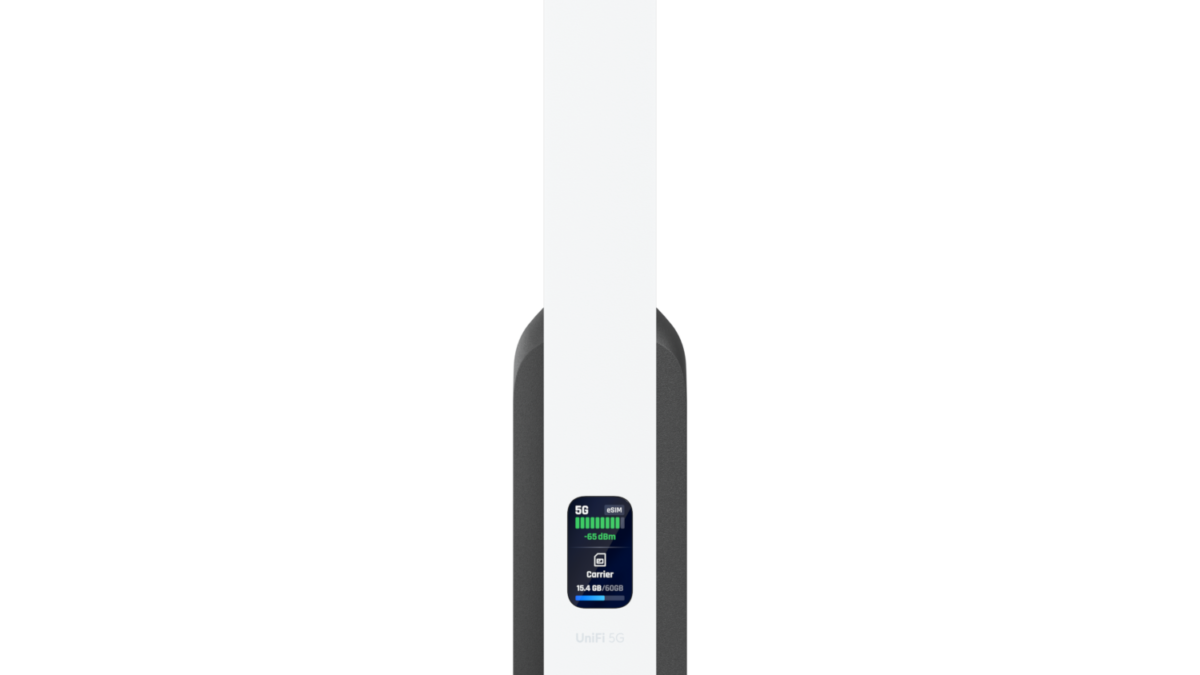
The Ubiquiti UniFi 5G Backup (U5G) is a 5G RedCap cellular modem that connects to any UniFi PoE switch or gateway via a single Ethernet cable — that same cable delivers power and passes data back to your network. No separate power adapter, no additional cabling. At $99, it’s built specifically as a failover device: it sits dormant when your primary ISP is healthy, activates automatically when it detects a WAN failure, and hands off back to the primary connection once it recovers.
Under the hood, 5G RedCap (Reduced Capability) is a newer 5G standard designed for exactly this class of device — lower cost and lower power consumption than full 5G NR, with speeds up to 220 Mbps down and 120 Mbps up that are more than sufficient for keeping business operations running during an outage. The U5G supports a comprehensive set of 5G NR bands including n77 C-Band and n71 low-band, plus a full 4G LTE fallback band set, and it’s certified on Verizon, AT&T, and T-Mobile. A single 4FF Nano-SIM slot accepts any ISPTek-compatible SIM, and the device integrates natively with the UniFi management dashboard for monitoring and failover policy control.
For UniFi-standardized environments, this is the lowest-friction path to cellular WAN redundancy that currently exists.
Why the Data Plan You Choose Matters
A backup cellular device is only as good as the plan behind it. Get the plan wrong and you’re either paying too much for capacity that mostly sits idle, or you run out of data mid-outage when you actually need the connection most. There are three main scenarios to plan for:
- Short, infrequent outages: ISP circuits go down for minutes or hours a few times a year. Light data usage — email, VoIP, basic web — is all that’s needed to bridge the gap. A modest pooled plan with a shared data reserve across all your sites handles this efficiently without waste.
- Extended outages or unreliable primary service: For locations where the primary ISP is less reliable, the backup link may carry sustained load for hours or days. An unlimited plan with priority data eliminates the risk of running out — or getting throttled — mid-outage regardless of duration or network congestion.
- Multi-site deployments: MSPs and IT teams managing 10, 20, or 50+ UniFi locations don’t want to manage 50 individual carrier accounts. Pooled data across all SIMs under one account is the right architecture — sites that barely use their backup share capacity with sites that need it more.
ISPTek’s plan lineup is built to cover all three scenarios, with over 12 custom plan tiers, pooled data options, and unlimited plans on AT&T, Verizon, and T-Mobile. For most business and MSP deployments, we recommend starting with the AT&T Prime unlimited plan — and the reasons why are worth understanding before you choose.
The AT&T Prime Unlimited Plan — Built for Business Backup
ISPTek’s AT&T Prime unlimited plan is purpose-built for deployments where the backup connection needs to perform under real-world conditions — not just activate, but stay fast and reliable through the entire duration of an outage. It’s an unlimited plan, meaning there’s no data cap that can strand a location mid-incident. But the detail that sets it apart from a standard unlimited plan is the 250GB of QCI 7 priority data included every month.
QCI stands for Quality of Service Class Identifier — it’s the priority classification AT&T uses to manage how data traffic is handled on the network during periods of congestion. QCI 7 is a high-priority data class, meaning the first 250GB your U5G transmits each month is processed with network-level priority over standard deprioritized traffic. In practical terms: during peak network usage hours, when a standard SIM might see speeds drop due to congestion, a QCI 7-priority connection maintains its throughput. Your backup link doesn’t just stay up — it stays fast when the network is busiest, which is often exactly when your outage is happening.
For most business locations running the U5G as a failover device, 250GB of QCI 7 priority data is more than enough headroom to cover even extended outages. If usage somehow exceeds the priority allocation, the plan remains unlimited — you won’t get cut off. The only difference is that data beyond 250GB shifts to standard priority, which is still functional for most business applications.
Combined with ISPTek’s public static IP options, the AT&T Prime plan gives you an unlimited, priority-class backup connection with a fixed, routable IP address — so VPNs stay intact, remote management tools stay connected, and nothing about your network configuration breaks when the U5G takes over. That combination of unlimited capacity, QCI 7 priority throughput, and static IP makes the AT&T Prime plan the strongest overall pairing for the U5G in business environments.
Pooled Data Plans — The Right Architecture for Multi-Site Deployments
If you’re deploying the U5G at more than one location — which is the natural use case for MSPs and multi-site IT environments — pooled data is often the smarter choice for sites where outages are genuinely infrequent and usage per location is light.
Here’s why: in a backup scenario, most sites will use little to no cellular data in any given month. But a handful of sites will occasionally experience extended outages and consume significant data. With individual per-device plans, every SIM needs enough allocation to cover a worst-case outage at that site — meaning you’re over-provisioning across the entire fleet to protect against a scenario that only hits a few sites at a time. With pooled data, all SIMs draw from a shared bucket. The sites that barely use their backup leave more in the pool for the sites that need it, and your overall spend stays proportional to actual usage rather than worst-case capacity.
ISPTek’s pooled data plans work across all SIM-equipped devices on your account — U5G units, other cellular routers, modems, or any other ISPTek-connected device. Add a new U5G at a client site, assign it to your existing pool, and it’s instantly covered under the same data account you’re already managing. No new carrier contract, no separate billing, no additional activation fee.
For MSPs running dozens of UniFi deployments, this is particularly valuable. One ISPTek account covers the entire portfolio. One invoice. One place to manage SIM activation, data monitoring, and plan adjustments as your client base grows. That said — for higher-stakes locations where outage duration is unpredictable or the business can’t afford any degradation in backup performance, the AT&T Prime unlimited plan is worth the step up over a pooled allocation.
Static IP Addresses on Your Backup Connection
One often-overlooked advantage of activating the U5G through ISPTek rather than a direct carrier account is static IP availability. Most standard carrier SIM plans assign a dynamic IP — the address changes periodically, which breaks VPN tunnels, remote access configurations, and any hosted service that relies on a known IP address to route traffic correctly.
ISPTek offers public static IP addresses on cellular plans across AT&T, Verizon, and T-Mobile — including on the AT&T Prime unlimited plan. For a U5G being used as a WAN failover device, this means your VPN keeps its configuration intact whether you’re on the primary ISP or the cellular backup — the endpoint doesn’t change, so remote access, monitoring tools, and any IP-dependent business application stays functional throughout an outage and immediately upon failover.
For MSPs, static IP on backup cellular also means you can manage the client site remotely even when their primary circuit is down — exactly when you need that access most.
Pairing the U5G with Other UniFi Cellular Devices
The U5G fits a specific role in the UniFi cellular lineup — affordable 5G failover for locations that don’t need primary 5G throughput. For deployments where 5G WAN needs to carry heavier loads or serve as a primary connection rather than just backup, the Ubiquiti UniFi 5G Max and UniFi 5G Max Outdoor step up with full 5G NR performance, dual SIM slots, and up to 3.4 Gbps throughput.
ISPTek’s pooled data plans work across all three devices under a single account — so if you’re running a mix of U5G units at smaller sites and U5G-Max units at higher-traffic locations, they all draw from the same data pool and appear under the same account for billing and management. For primary-use 5G WAN on the U5G-Max, the AT&T Prime unlimited plan applies there too — and the QCI 7 priority data is even more valuable when the cellular link is carrying day-to-day traffic rather than just backup.
Who Should Deploy the U5G with an ISPTek Plan?
The U5G plus an ISPTek cellular plan is a strong fit for a specific set of deployments:
- MSPs standardizing on UniFi: Add a U5G and ISPTek SIM to every client build as a standard offering. For higher-stakes client environments — healthcare, financial services, retail with active payment terminals — pair it with the AT&T Prime unlimited plan so the backup link never runs out of data or priority throughput during an extended incident. For lower-stakes locations, pooled data keeps the per-site cost down across the whole portfolio.
- Retail, hospitality, and multi-location businesses: POS systems, guest WiFi, payment terminals, and property management platforms all need the network to stay up. The U5G handles automatic failover at the network level — and the AT&T Prime plan’s QCI 7 priority data ensures payment processing and front-desk systems stay fast even during peak network congestion hours.
- Healthcare and financial services offices: EMR access, card processing, and compliance-sensitive applications need WAN continuity with no performance degradation. The AT&T Prime unlimited plan with static IP is the right fit here — unlimited capacity, priority throughput, and a fixed IP that keeps remote access and hosted tools functional from the moment the U5G takes over.
- Small businesses that can’t justify dual-ISP circuits: A $99 device and the AT&T Prime unlimited plan delivers unlimited, priority-class 5G backup for a fraction of the cost of a second wired circuit — with zero activation fees and no long-term commitment required.
Getting Started
Activating the U5G with an ISPTek plan is straightforward: order the device, choose your plan tier on the ISPTek cellular plans page, and ISPTek ships the SIM configured and ready to go. Insert the SIM, plug the U5G into your UniFi PoE port, and the device adopts into your UniFi dashboard. Configure your failover policy and you’re done — the U5G handles everything automatically from there.
For most business deployments, start with the AT&T Prime unlimited plan — 250GB of QCI 7 priority data, unlimited total capacity, and static IP available. It’s the plan that ensures your U5G performs when it matters, without data limits creating risk during the outages you’re deploying it to handle. For MSPs activating multiple units across a client portfolio, pooled data plans are available for lower-stakes sites, and ISPTek can provision SIMs in bulk under a single account to keep management simple as your deployments scale.
